Family, children and multiple devices
Several children and devices under one family account; phones and tablets are managed separately.

Manage your child’s digital day, together.
Digiboss Ebeveyn helps parents manage their children’s digital use on supported Android phones and tablets from a single panel. Parents set a daily time budget per device, app and app-group quotas, and time schedules, then respond to their child’s requests for extra time or app access.
Store accounts and release approvals are not complete; there is no download link yet.
Digiboss Ebeveyn has three surfaces: the web parent panel used by the parent, the child app on the child’s Android device, and the API that connects them. The parent defines a rule; the rule travels to the child device as a signed policy; the device reports the applied revision with a receipt.
This separates “the rule was saved” from “the rule was applied on the device”. The parent can see which revision is active on which device; when there is no measurement, the product shows “unknown” rather than treating it as zero.
Real product screenshots: the web parent panel and the Android child app. They come from the development build; some labels may change.
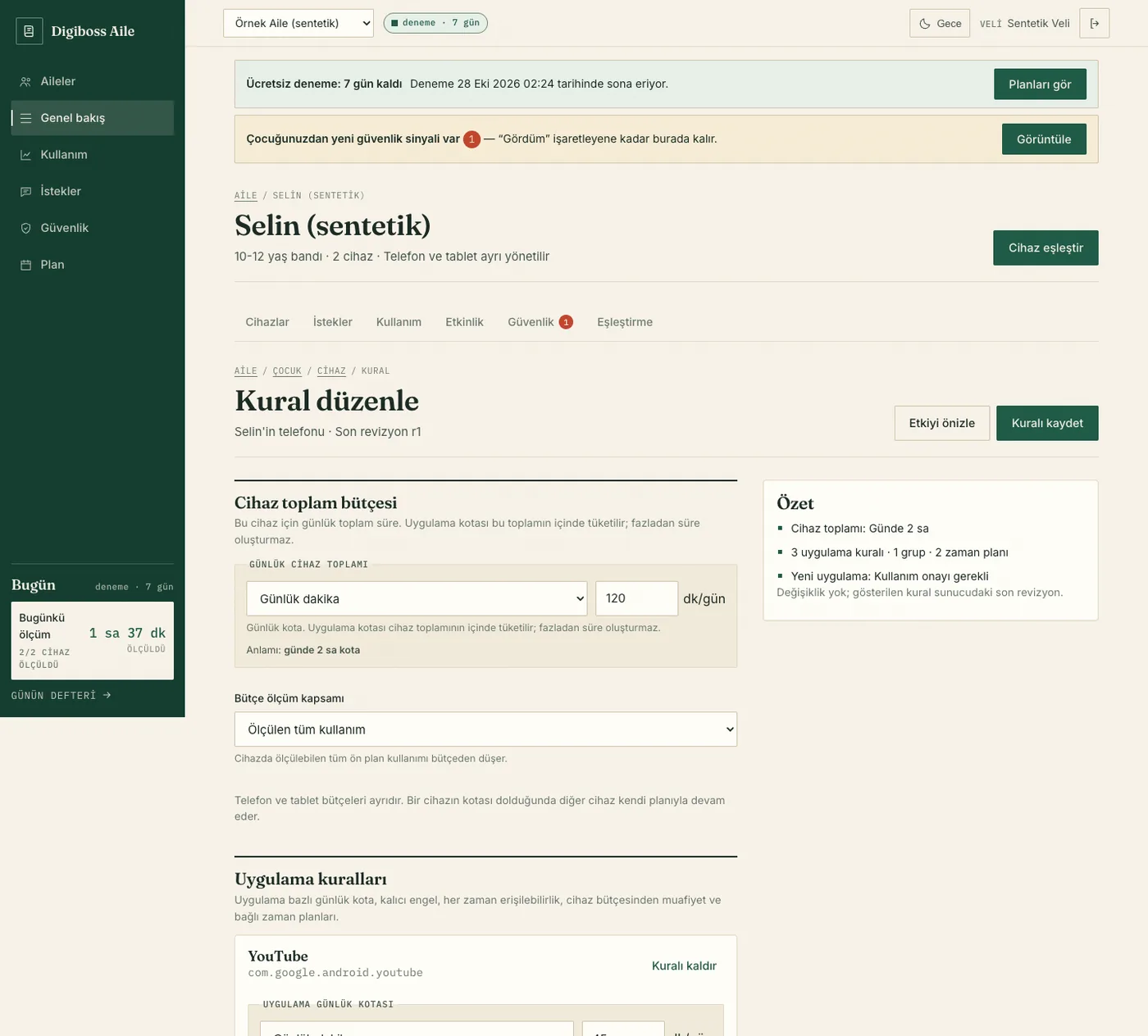
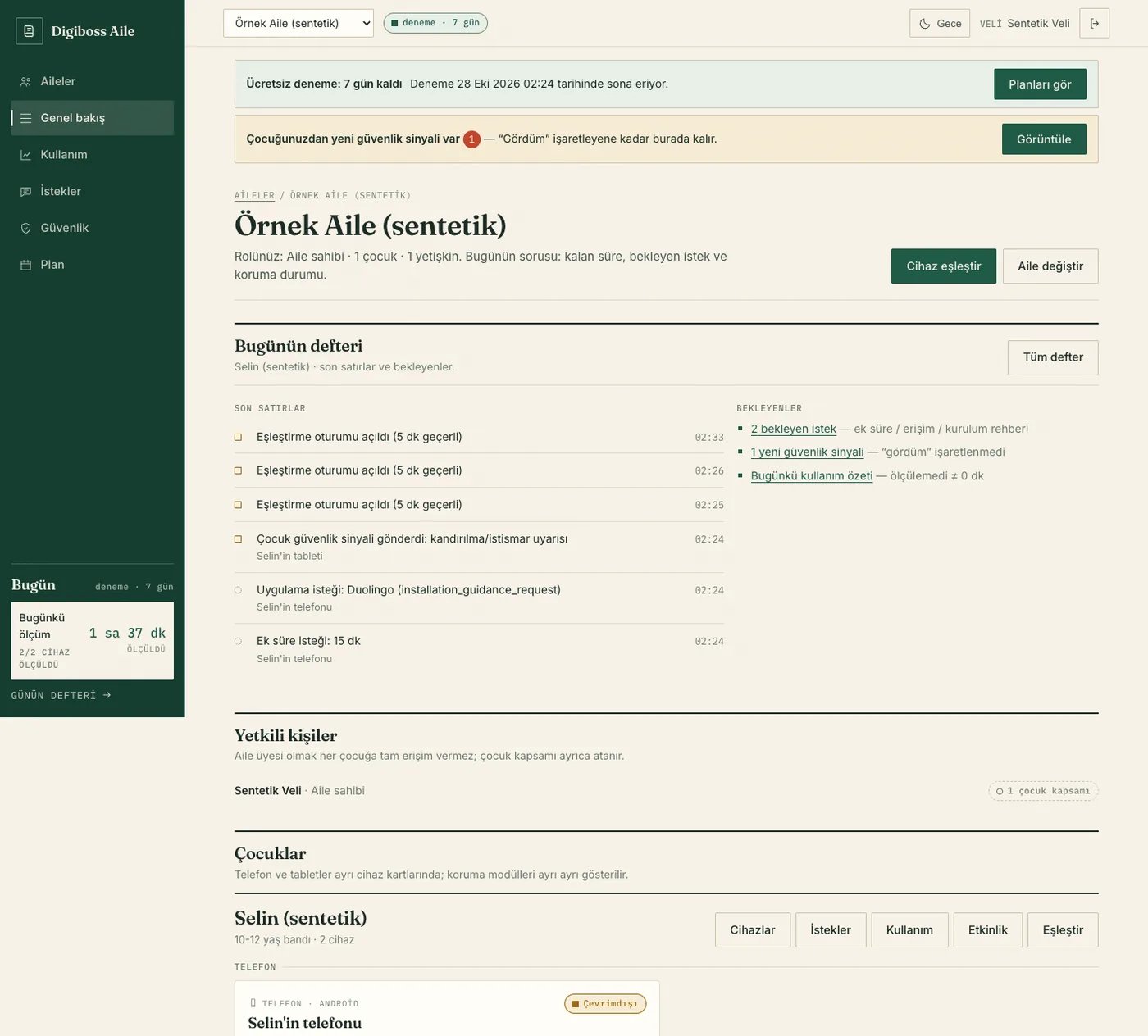
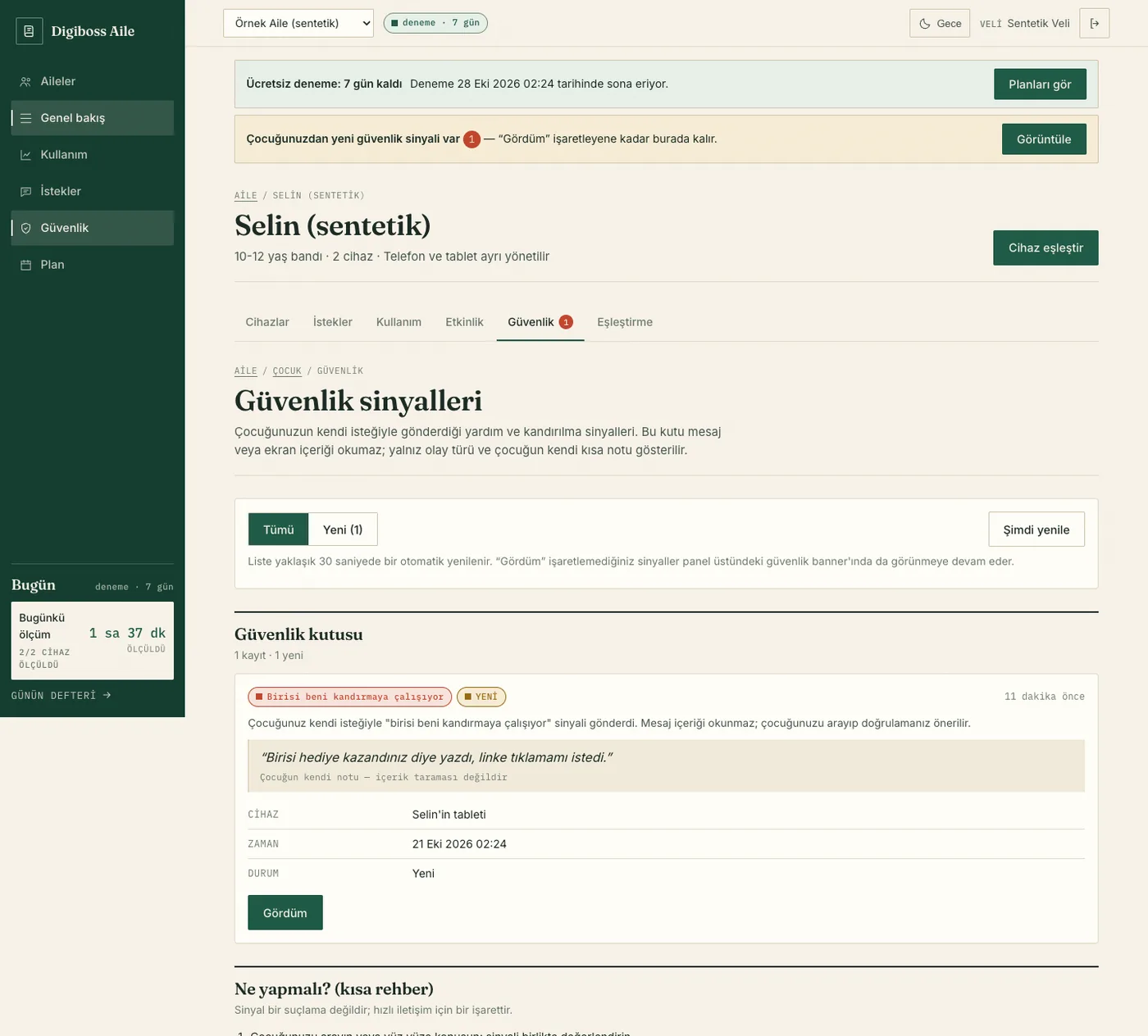
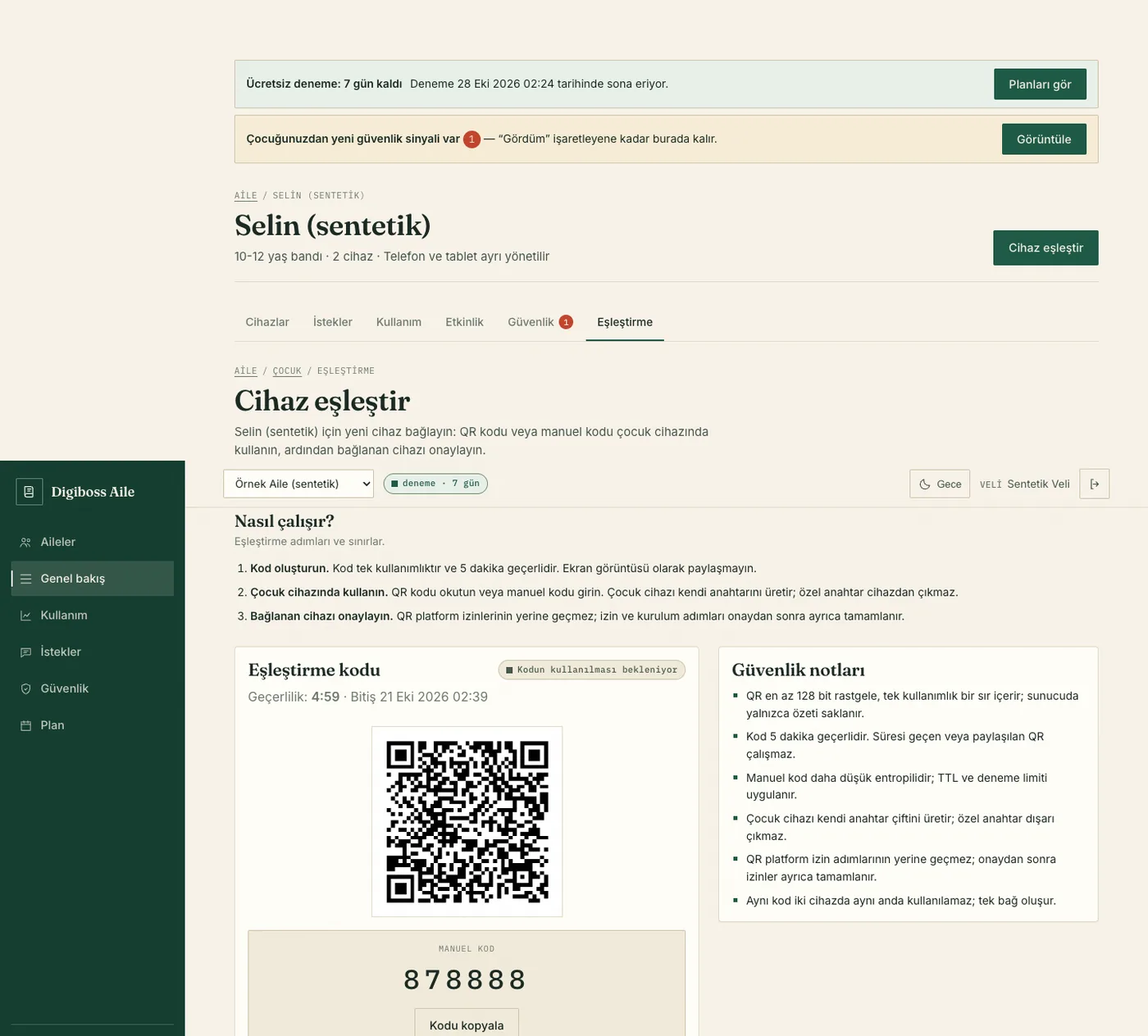
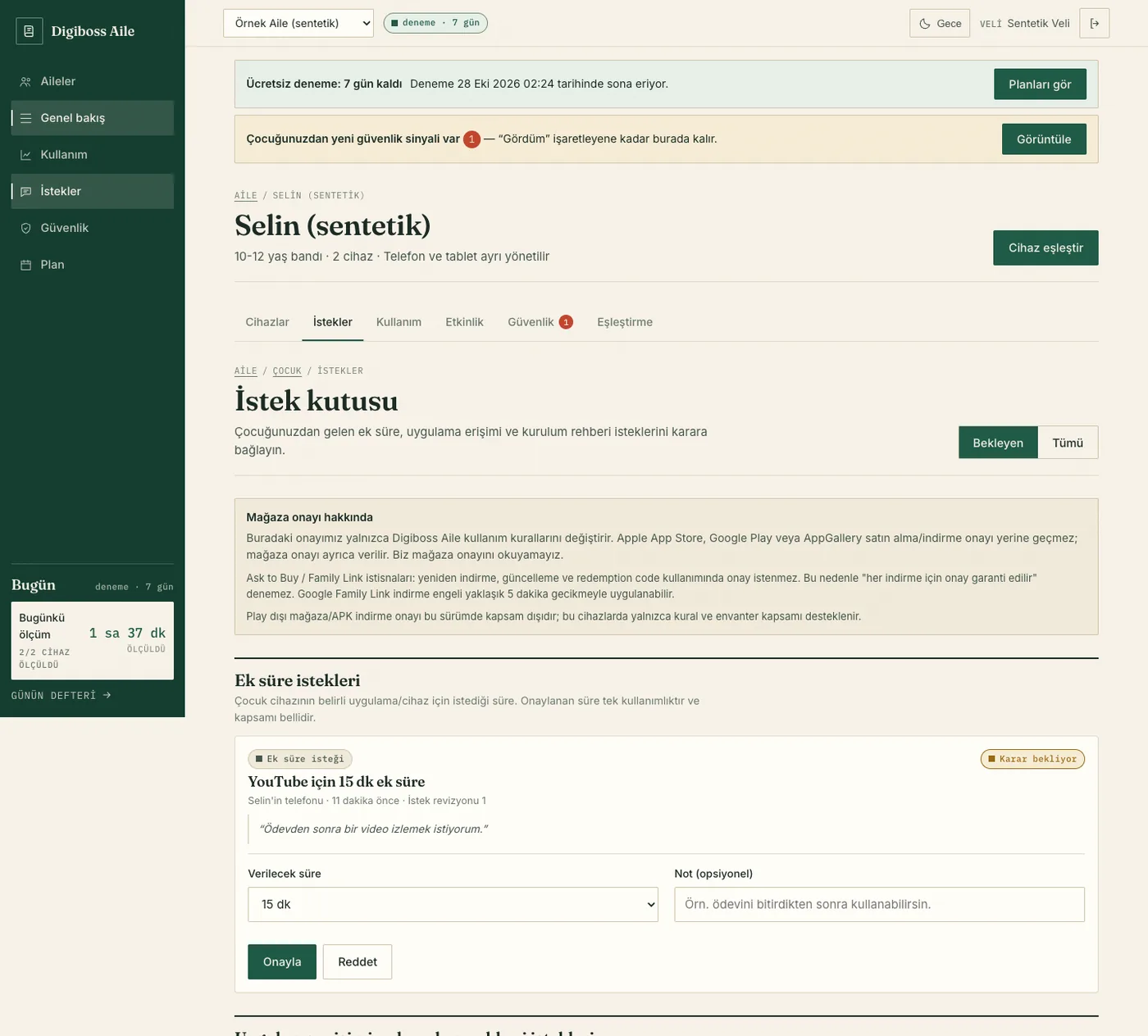
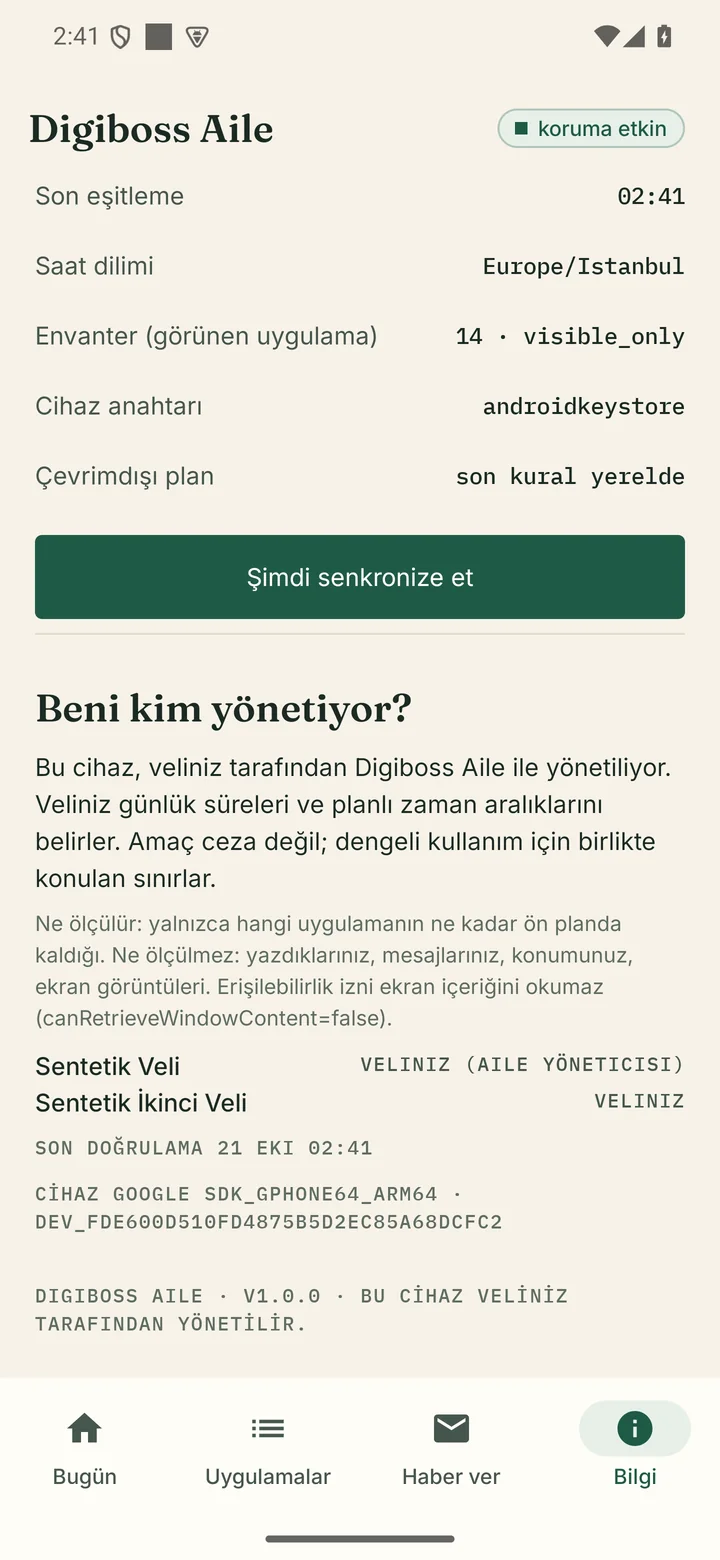
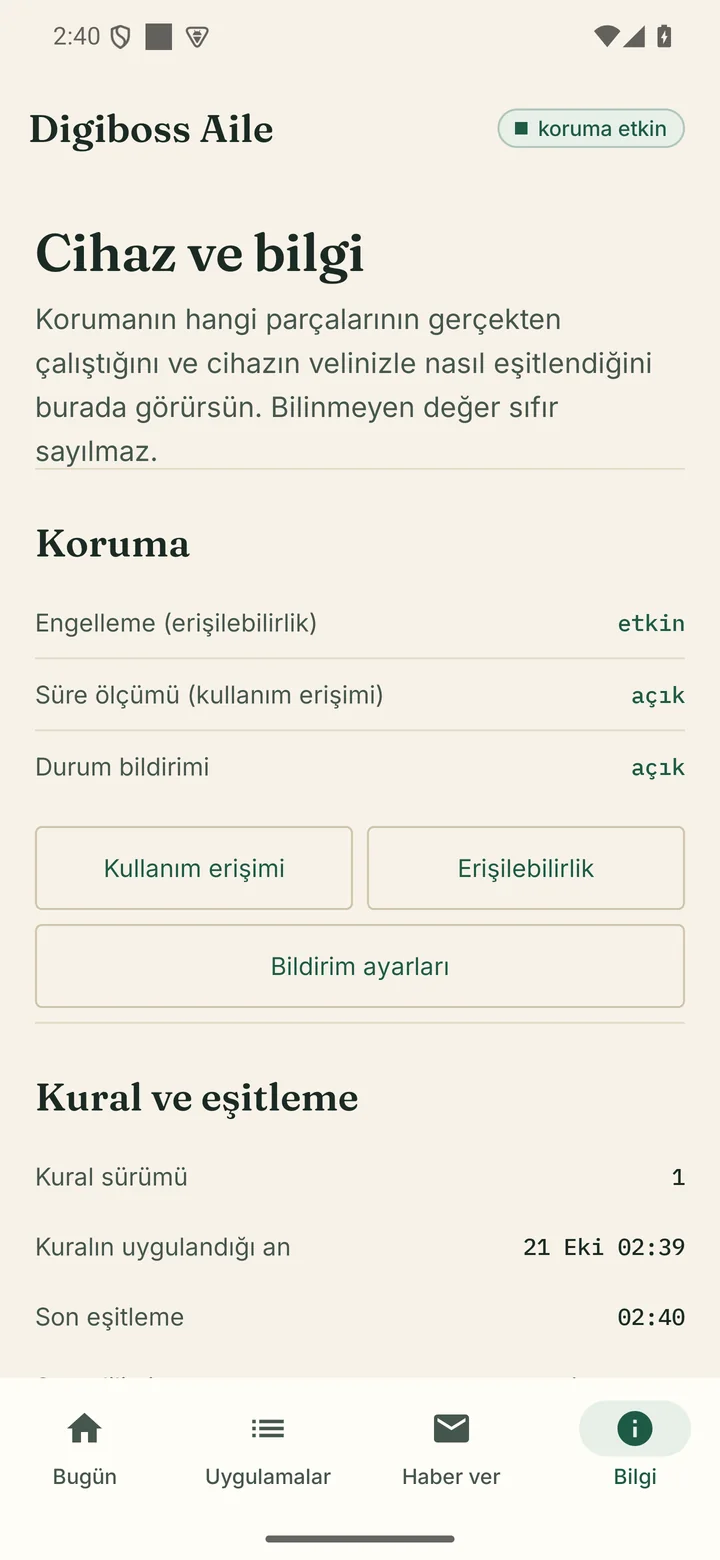
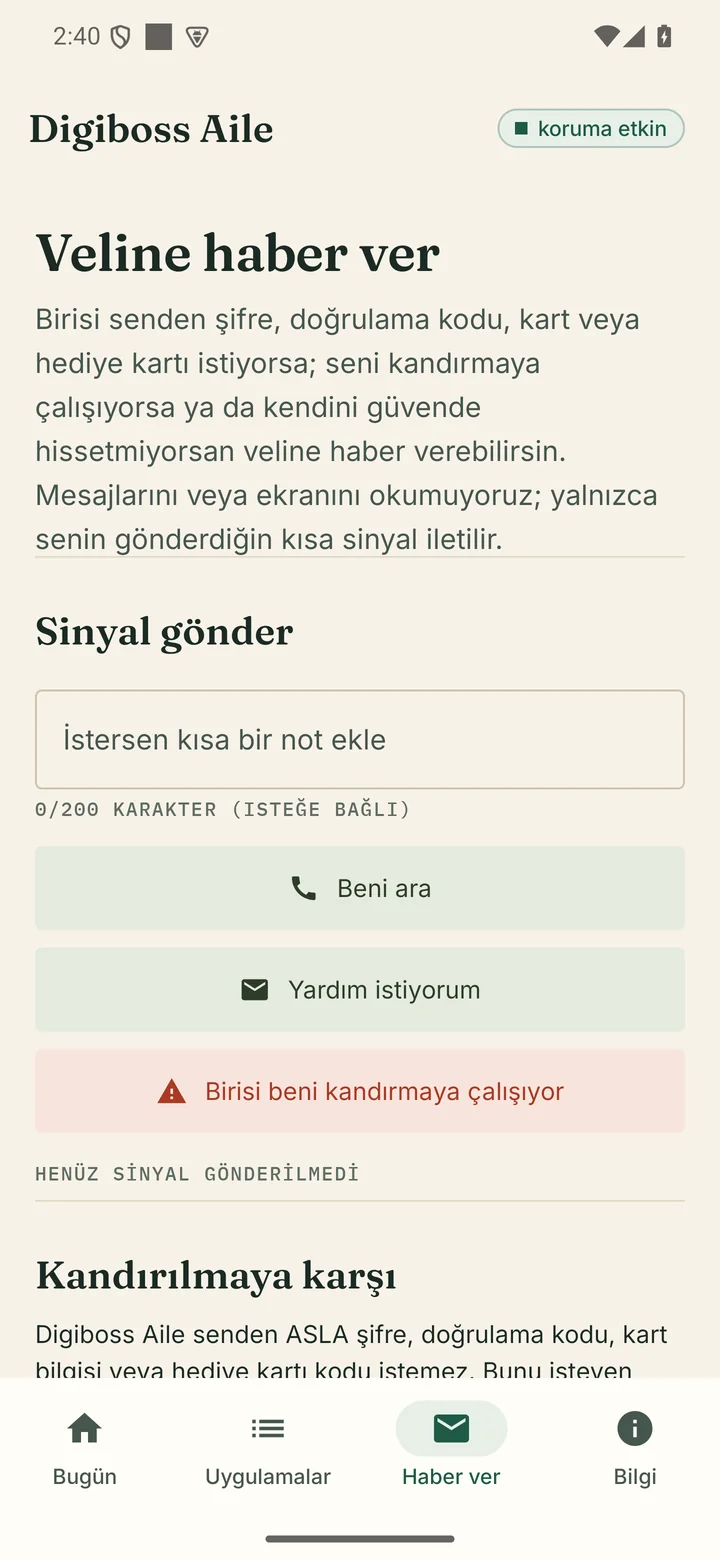
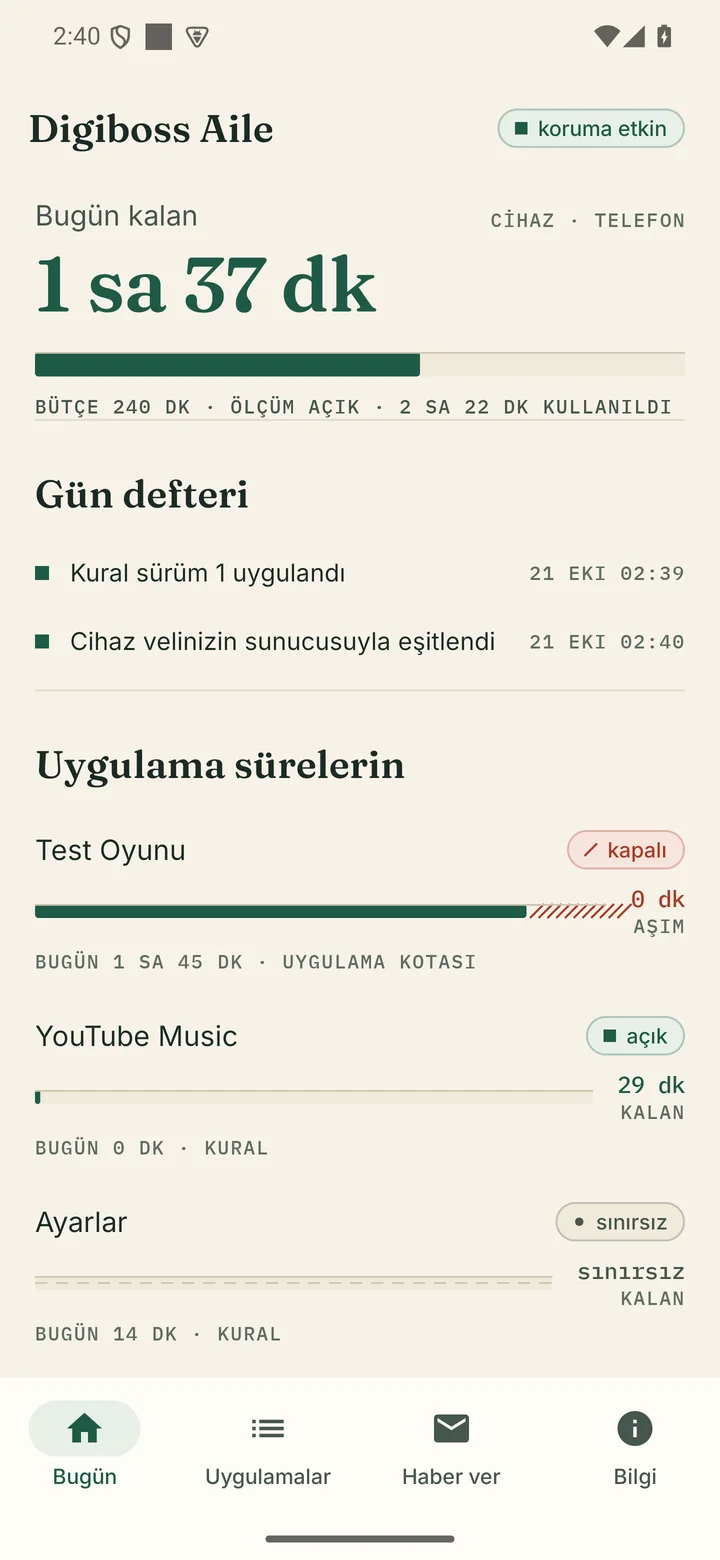
Real product screenshots from the development build. Some labels may change.
Capabilities that work and are evidenced today. Planned work is marked separately in the roadmap.
Several children and devices under one family account; phones and tablets are managed separately.
Pair a child device securely with a QR code or a single-use manual code.
Set a daily total for each device; phones and tablets work independently.
Define a separate quota for a single app or an app group.
Create time windows for daily routines such as school, sleep and meals.
The child requests extra time or app access; the parent answers in one place. Requests have a time limit.
Rules reach the device as a signed policy; the device does not apply a policy without verifying the signature.
See daily usage, per-app time and rule changes in one feed.
Help signals, “call me”, suspected coercion and protection-off events appear in the parent panel.
Plan and entitlement infrastructure is in place; the store subscription will open together with the store release.
Family setup and the first rule in four steps.
Sign in with e-mail and password and create your family account.
Set a nickname and age band for your child. A real name is not required.
Scan the QR code or enter the manual code, then grant the required permissions on the child device.
Set a device budget, an app quota or a time schedule. The rule is delivered to the device with a signature.
The child sees the same situation the parent sees. The goal is not invisible supervision, but making jointly agreed limits understandable.
Today’s remaining total time and per-app usage are visible.
The child sees which limit is active and when it will open again.
The child sees the name and role of the verified parent.
The child can request extra time or app access; the request reaches the parent for a decision.
“Call me”, “I need help” and “someone is trying to trick me” are sent with one tap.
The child screen has no ads, payment pages or shaming rankings.
Protecting a child against coercion is part of the product design. Every item in this section is a working flow today.
The child device shows the name and role of the parent who manages it.
Digiboss never asks for your password, verification code or card details. Such requests may be fake.
The child sends a help signal with one tap; it appears as a safety event in the parent panel.
Turning protection off creates a safety event that appears in the parent panel.
Messages, contacts, location and screen content are not read. There is no automatic coercion detection, and the product does not claim one.
The real status for each platform. Unsupported or unfinished surfaces are marked clearly.
Real blocking and extra-time consumption were verified on an emulator. Background restrictions on different OEM devices have not been tested yet.
Runs against the real API; usable in phone and desktop browsers.
Waiting for the Apple Family Controls entitlement. The iOS version cannot be downloaded yet.
A native HarmonyOS path is not planned for Türkiye.
Statuses reflect the product’s reality today; unsupported surfaces are marked clearly.
Work that has not shipped yet. None of it is presented as working today.
The parent surface is the web panel today; the native app is a later phase.
A UI for a second parent and read-only access is planned.
A weekly usage summary is planned.
Presets for non-routine days are planned.
A push notification infrastructure is planned.
The retention policy is defined; automated deletion is still planned.
No date can be given until the Apple Family Controls entitlement process is complete.
Install approval runs through Google Play / Family Link; it cannot be granted from this panel.
This work has not shipped; it is not presented as working.
Read the privacy policy for the full text. This is the short version.
Account e-mail; family/child profile (nickname, age band); device make/model/platform; app usage durations; safety events; technical logs.
Message contents, contact list, screen content or images, location, microphone/camera, advertising identifier.
A 30-day retention period is targeted for usage and activity data. The automatic purge worker is still planned.
Data is not used for advertising, is not sold, and is not used to train AI.
A child app on Android phones and tablets, and a parent panel in a web browser. The iOS version is in preparation; Huawei/HarmonyOS is not planned.
No. Message contents, contacts, screen content and location are not read. The product processes data only for time/quota management and safety events.
The policy is delivered to the device with a signature; the device applies it on the next sync and sends a receipt. Instant application on every device is not guaranteed.
Price and renewal are shown in the store. No price is published on this page; the store release is not complete yet.
No. Store accounts and release approvals are not complete yet. Contact us for early information.
We cannot give a date before the Apple Family Controls entitlement process is complete. iOS support is in preparation.
Account data until the account is deleted; a 30-day target applies to usage and activity data. Details are in the privacy policy. Data is not sold or used for advertising.
The product plan includes a 7-day free trial and the plan/entitlement infrastructure. The store subscription and trial offer will open with the store release.
Digiboss Word Arena
We are not publishing a download link until store accounts and release approvals are complete. Contact us for early information, a pilot conversation or questions.
not for everyone...
Cookie & KVKK Notice
We use cookies to improve your experience on our website. By using our site, you accept our KVKK Privacy Notice and our Privacy Policy.